
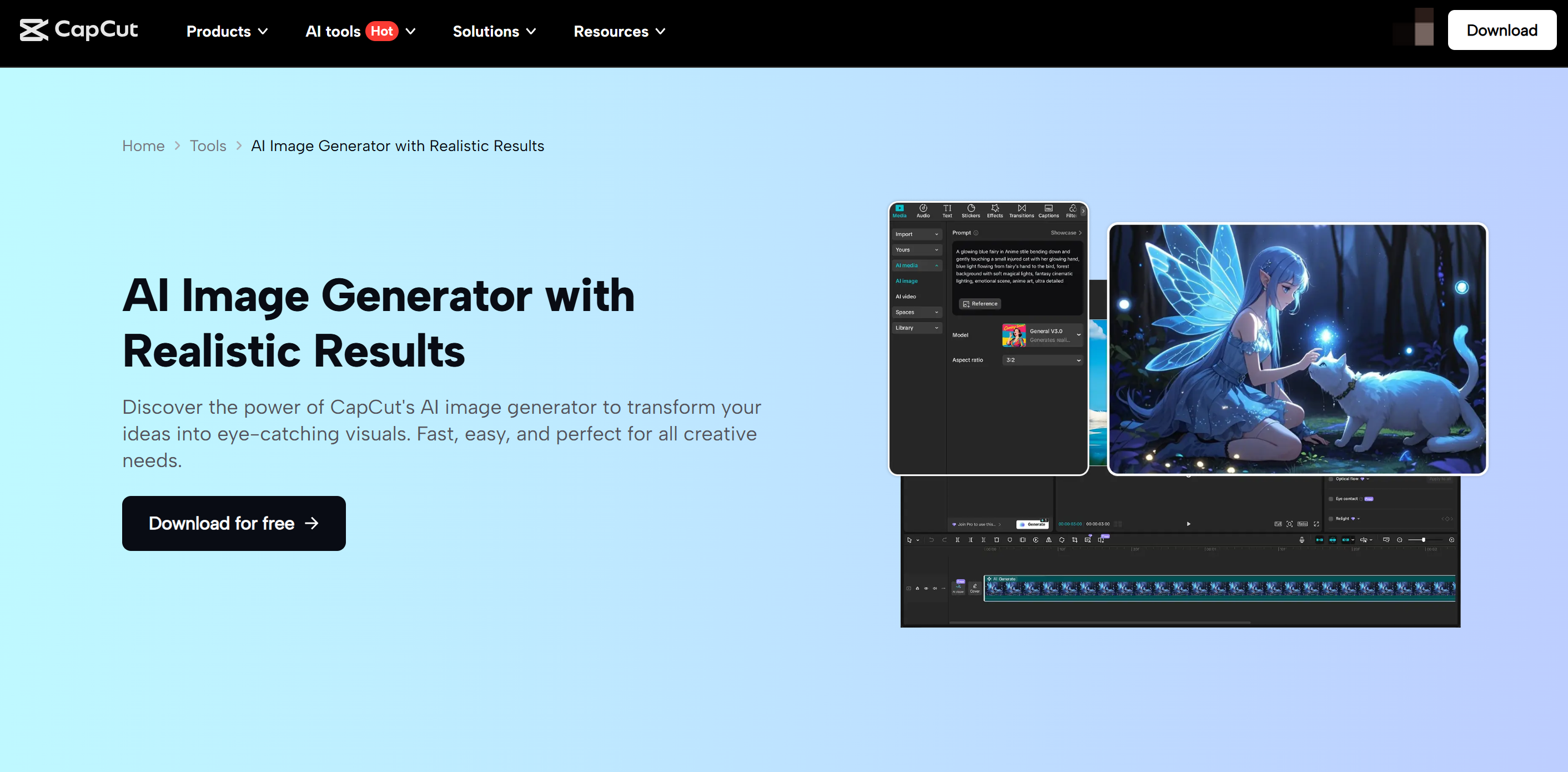
Animated characters aren’t just for cartoons anymore. They’ve become a key part of social media content, online storytelling, gaming streams, and even personal branding. Whether you want to create a mascot for your YouTube channel, design fun characters for TikTok videos, or experiment with digital art, having the right tools makes a huge difference. CapCut AI Image Generator, with its powerful artificial intelligence, makes it easy to design unique animated characters—even if you can’t draw. Instead of spending hours sketching, you can generate characters in seconds by describing your idea with a few words. From anime-style heroes to quirky cartoon figures, the AI can bring your imagination to life instantly. In this article, we’ll explore why CapCut AI Image Generator is perfect for designing animated characters and walk through a simple guide to help you get started.
Why Use CapCut AI Image Generator for Animated Characters?
No Drawing Skills NeededNot everyone is an artist, but everyone has ideas. With CapCut’s AI, you don’t need to sketch or paint—you type a description, and the generator creates character designs for you.Endless StylesWant a fantasy warrior, a futuristic cyborg, or a chibi-style mascot? The AI supports multiple styles, like anime, cartoon, 3D, and semi-realistic art. You can experiment with different vibes until you find the one that fits your project.Instant CustomizationYou can generate multiple variations of your character and refine them by adjusting prompts, styles, and details. This way, you’ll always end up with a character that feels unique.Perfect for StorytellingAnimated characters add personality to your videos, presentations, and social posts. With CapCut, you can create characters that match your storylines or brand identity.Accessible on Desktop and MobileCapCut’s AI Image Generator works smoothly across platforms, so you can create characters wherever you are—no fancy setup required.
Use CapCut AI Image Generator to Design Animated Characters
Step 1: Open CapCut and Access the AI Image Generator
Start by launching CapCut Desktop or the mobile app. If you haven’t installed it yet, download it from the official site or app store. Once inside, look for the AI Image feature. This tool is usually highlighted in the creative menu since it’s one of CapCut’s most popular AI options. Click AI Image. Get ready to type your character description. Think about your character’s personality before you start. Is it playful, serious, or mysterious? Having a clear vision will help you craft better prompts.
Step 2: Describe Your Character in Detail
This is the fun part—you get to bring your imagination to life with words. The AI responds best when your description is clear and specific.For example:
- Instead of typing “anime girl,” try “anime girl with blue hair, wearing a futuristic outfit, holding a glowing sword.”
- Instead of “cartoon dog,” try “cartoon dog with big round eyes, wearing a red cape, smiling like a superhero.”
The more details you provide, the closer the AI will align with your vision. You can also select a style option (anime, 3D, AI Avatar, comic book, painting, etc.) to guide the generator. Once you’ve typed your description. Click Generate. Wait a few seconds while the AI creates your animated character. Review the results and, if needed, tweak your description to refine the design. If you like a design but want variations, use the regenerate or variation option. This will give you different versions of the same character without starting over.
Step 3: Save, Customize, and Use Your Character
Once your animated character looks just right, it’s time to bring it into your projects. Here’s how you can use it:Download the image in high resolution. Edit within CapCut Desktop Video Editor by adding text, animations, or background effects. You can even cut out the background with CapCut’s BG remover tool and place your character into different scenes. Use in videos or posts to make your content stand out. For example, create storyboards for a mini-animation, design custom thumbnails for YouTube, or post character art as part of your TikTok or Instagram brand. If you’re working on multiple characters, save them in a folder and create a cast of designs. You can then reuse them across different projects to keep a consistent style.
Concluion
Designing animated characters used to be time-consuming and limited to those with artistic skills. But with CapCut AI Image Generator, anyone can create stunning, personalized characters in minutes. Whether you’re a content creator, gamer, teacher, or just someone who loves experimenting with digital art, this tool opens up a world of creative possibilities. So, the next time you need an anime hero, a cartoon mascot, or even a unique avatar for your brand, don’t stress about drawing—let CapCut’s AI do the magic. Your imagination is the only limit.