
You create a character for a short animated story, and the first scene looks exactly as intended. Then the next scene changes the character’s hairstyle, clothing, or proportions. By the third scene, the audience may struggle to recognize the same person. This problem, often called character drift, can affect social videos, gaming content, and recurring digital personas.
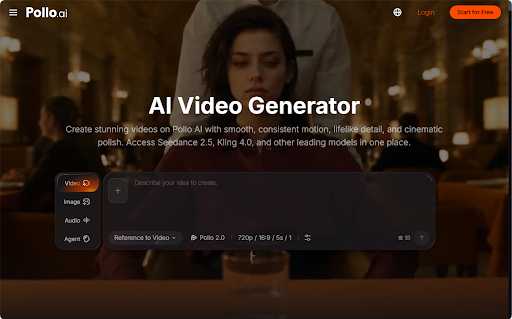
Pollo AI provides video-generation workflows that let creators build videos from images and prompts. When trying a free AI video generator, the key isn’t just repeating a character’s name; it’s giving the model consistent visual information across every scene.
Why Does Character Consistency Break Down?
AI video generation interprets visual references and written prompts to create moving scenes.
When each clip is generated independently, the same character description can produce slightly different results.
For example, the phrase “a friendly cartoon explorer in a blue jacket” leaves several important details undefined. The model may change the hairstyle, jacket shape, accessories, or facial features between scenes.
Changes in lighting and camera angle can make these inconsistencies more noticeable.
The solution is to establish recognizable visual features before generating the first clip.
Think of the character as a small collection of fixed design choices rather than a general personality description.
Start with a Character Reference Sheet
A reference image gives the model a more specific starting point than text alone.
Choose details that viewers can recognize immediately, such as a distinctive hairstyle, outfit, accessory, or color combination.
For example, a fictional gaming mascot could have a rounded orange helmet, dark blue overalls, white gloves, and a small triangular badge.
If the character has not yet been designed, an AI cartoon generator in Pollo AI can help turn a text description into an initial character illustration.
Once you choose a design, treat that image as the approved reference rather than generating a new character for each scene.
Where useful, prepare front-facing and three-quarter views so the character remains recognizable from different angles.
Do not assume that every video model accepts multiple references. Available controls depend on the chosen model and workflow.
Separate Character Identity from Scene Instructions
A reliable prompt should distinguish details that must remain fixed from details that should change.
For example, the identity description could be:
“A small cartoon explorer with a round orange helmet, dark blue overalls, white gloves, and a triangular badge.”
The scene instructions might then read:
“Animate the explorer walking slowly through a quiet forest. Preserve the helmet shape, clothing colors, badge, and body proportions. Use a gentle tracking camera movement.”
For the second scene, keep the identity description unchanged and replace only the action:
“Show the same explorer examining a map beside a campsite. Maintain the established outfit, face, proportions, and cartoon style.”
This approach helps limit unnecessary creative variation.
A short and precise prompt is often easier to refine than a long description containing many conflicting details.
How to Generate a Consistent Multi-Scene Video
Step 1: Plan the Story
Start with three scenes rather than a complicated sequence.
For example, the explorer arrives at a forest, discovers a mysterious object, and returns to camp.
The story gives you a reason to change the setting or action while keeping the character consistent.
Step 2: Choose the Source Image
Use a clear reference with recognizable facial features, clothing, and proportions.
Avoid images where the subject is heavily cropped or obscured.
Save the source file and use the same approved version throughout the project.
Step 3: Generate the Opening Scene
Choose an appropriate Pollo AI image-to-video workflow and upload the reference image.
Describe one main action and one camera direction.
Check the result before moving on. If the character already changes significantly in the first scene, simplify the prompt or improve the source image.
Step 4: Create Additional Scenes
Reuse the character reference and fixed identity instructions.
Change only the action, environment, or camera behavior that the next scene requires.
When supported by the selected model, additional image references or continuity controls may help guide the result.
Step 5: Compare the Clips Together
Watch all generated scenes in order.
Check facial features, clothing colors, accessories, proportions, and illustration style.
A character may look acceptable in an individual clip but noticeably different when placed beside another scene.
Regenerate only the scenes that introduce important inconsistencies.
When Should You Use Motion Transfer Instead?
Some character actions are difficult to communicate through text.
A dance, recognizable gesture, or unusual body movement may require more specific motion guidance.
With Pollo AI’s mimic motion , using a static character image and a reference video to animate the character according to the supplied movement.
This differs from prompt-led image-to-video generation because the video reference provides the motion pattern.
It can be useful when a fictional character needs to perform a particular action, but it is not a universal solution for character consistency across multiple scenes.
Use only motion references and character images you have permission to work with.
Final Quality Checks
Before publishing, review the video as one connected story.
The main character should remain identifiable even when lighting, background, or camera angle changes.
Check whether small accessories disappear, outfits change color, or facial features become distorted during movement.
Also review captions and other text separately. Generated visual content should not be assumed to reproduce every word accurately.
For branded characters, compare logos, symbols, and approved colors with the original design assets.
Final Takeaway
Consistent characters begin with consistent source material.
Create one recognizable design, preserve an approved reference, separate fixed visual details from changing actions, and compare every scene against the others. Pollo AI provides a practical environment for testing character-based video ideas, including prompt-led animation and reference-motion workflows.
Start with a short sequence and refine the process before expanding into a longer story.